preview
We're still working on this feature, but we'd love for you to try it out!
This feature is currently provided as part of a preview program pursuant to our pre-release policies.
Overview
The Intelligent summary page is your primary dashboard for monitoring cloud costs. View your cloud expenditures and cost types through interactive widgets.
Drill down into detailed analysis
Navigate to the Cost Overview page for detailed cost analysis with drill-down functionality. Click any element in the Sankey chart to drill down into specific services, teams, or regions.
Key features
The Intelligent summary page helps you to:
- View spending: Monitor spending data across your cloud services, teams, and time periods, including usage metrics and cost allocation.
- Anticipate costs: Access real-time estimates and detailed breakdowns to anticipate potential cost overruns.
- Optimize costs: Identify top cost variances and untagged resources.
- Gain customized insights: Tailor your analysis by viewing costs through multiple filters, such as account, application, or team.
Cost types
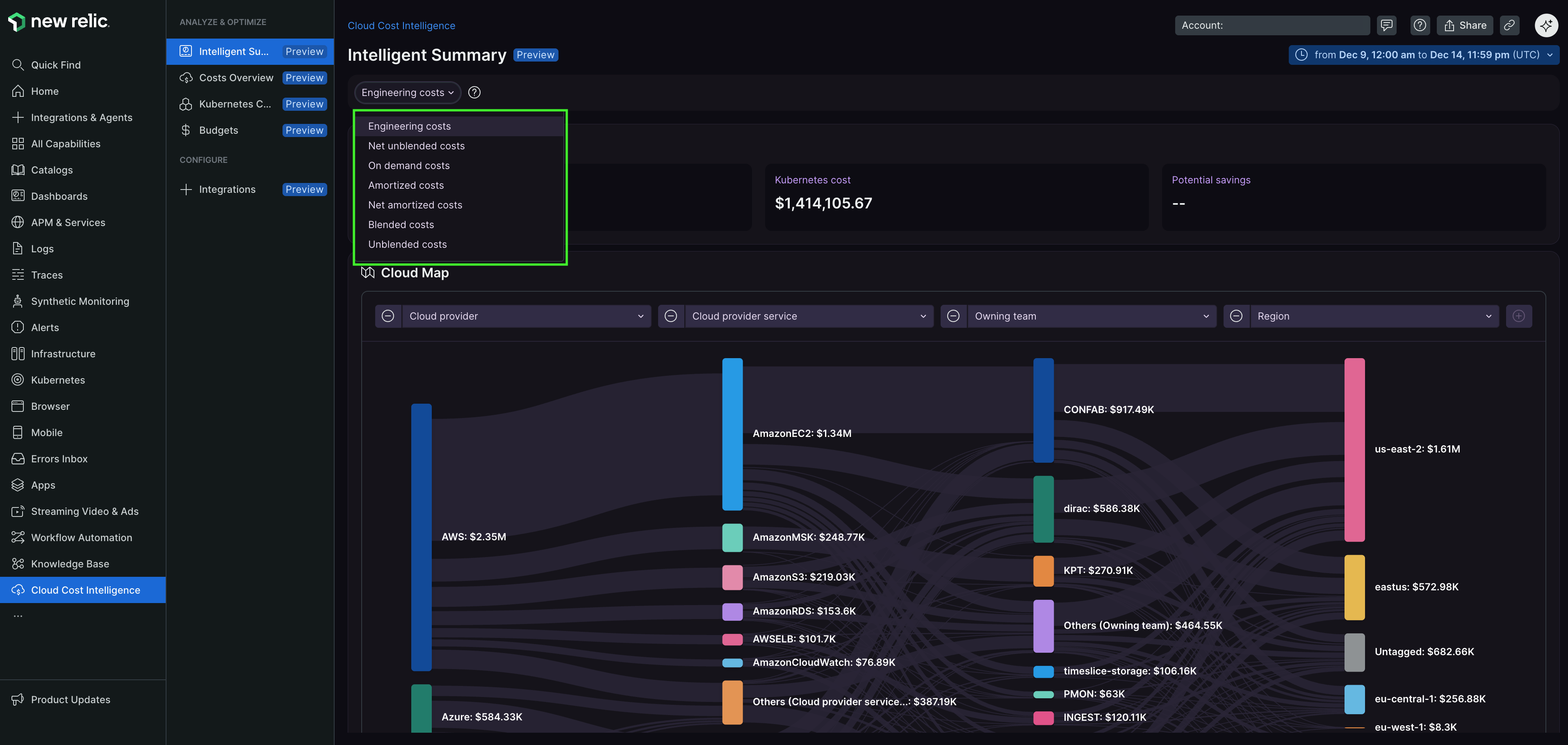
View your cloud expenditures by different cost types. Each type provides a distinct perspective on your expenses:
Cost type | Description |
|---|---|
Engineering costs | Your consumption-based amortized costs for resources, excluding Taxes, Credits and Fees. |
Net unblended costs | Your unblended costs after all applicable discounts have been applied. |
On demand costs | Costs based on resources you use, calculated hourly or per-second, with no long-term commitments or upfront fees. |
Amortized costs | Reflects costs in terms of accrual accounting, spreading expenses across the billing period. For example, if you pay a $365 upfront Savings Plan for one year, you'll see a $1 amortized cost per day. |
Net amortized costs | Amortized costs after all discounts are applied, providing a net view of accrued expenses. |
Blended costs | Average cost of usage across your consolidated billing family, including Reserved Instances, Savings Plans, On-Demand Instances, and tiered products. Calculated by multiplying the blended rate for each service by your usage. |
Unblended costs | Represents usage costs on the day they're charged, showing costs on a cash basis. This can be used to review the Reserved Instances and Savings Plan costs on the exact day of charge. |
Data widgets
Each widget on the Intelligent summary page provides specific cost insights:
Widget | Description |
|---|---|
Total cost | Your total cloud spend over a specified period. Quickly identify significant increases or decreases. |
Average cost by selected granularity | Average cloud costs by hour, day, week, or month. Track spending patterns to identify trends and fluctuations. |
Real-time cost estimate | Near real-time estimates based on recent telemetry and historical data. View estimated total, average hourly, and live costs. |
Top 5 cost variance | Highlights the top five services or resources experiencing the most significant cost changes. |
Cost spread per region | Visualizes your cloud spending distributed across geographic regions. |
Tagged vs. untagged resources | Cost proportion of resources tagged at application and team levels in AWS (from Cost and Usage Report). Resources with custom tags outside these categories appear as untagged. |
Service category costs | Summarizes costs across key cloud service categories, adapting dynamically based on your highest areas of expenditure. Categories typically include compute, storage, databases, network, taxes, and credits. |
Costs overview | Provides a consolidated snapshot of all cost-related data, which can be viewed by account, application name, billing entity, owning team, and service. |
Benefits
The Intelligent summary page delivers these outcomes for your organization:
Enhanced financial control: A clear and comprehensive picture of your cloud spending enables informed financial decisions and maintains budget control.
Proactive cost management: Real-time estimates and detailed breakdowns help you anticipate potential cost overruns and address them before they impact your budget or operations.
Strategic resource allocation: Insights from various widgets enable optimized resource distribution across different accounts, applications, regions, and teams, aligning resource usage with strategic business objectives.
Targeted cost optimization: Visibility into top cost variances and untagged resources focuses optimization efforts on areas that offer the most potential for cost savings.
Customized insights: Multiple analysis perspectives by account, application, or team enable deep dives into specific cost drivers that matter most to your organization.
These insights enable control and optimization of your cloud spending, ensuring effective financial management and strategic planning.